Firmware Upgrade
Use Firmware Upgrade to upgrade the device with a new firmware image.
How to Use
- Open the Actions menu for the device.
- Select Firmware Upgrade.
- Choose the new firmware image.
- Click Upgrade and select Keep Redirector to preserve certificates.
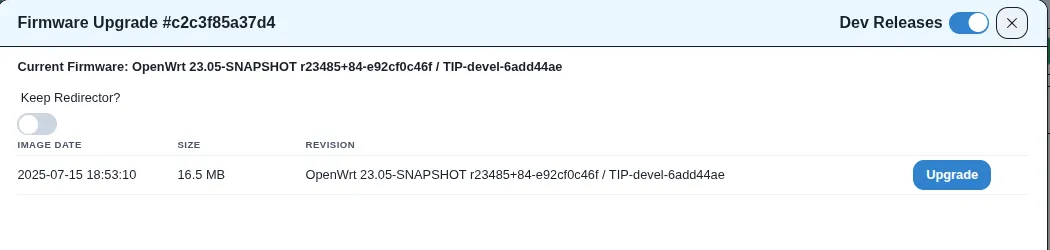
Result
- The selected firmware image will be uploaded and applied to the device.
- If the upgrade is successful, the device will continue using the preserved redirector certificates.